> For the complete documentation index, see [llms.txt](https://userflux.gitbook.io/userflux-docs/llms.txt). Markdown versions of documentation pages are available by appending `.md` to page URLs; this page is available as [Markdown](https://userflux.gitbook.io/userflux-docs/feature-guides/home.md).
# Home
Welcome to your Home Dashboard! This guide provides a comprehensive overview of the main dashboard, helping you to understand key metrics, analyse visitor trends, and navigate to different application modules.
***
### Understanding Your Key Metrics
The top section of your Home Dashboard presents four key metric cards that provide a high-level summary of user activity.
* **Users:** The total number of identified users.
* **Anonymous Users:** The total number of unidentified users.
* **Events:** The total number of events tracked.
* **Active Users/New:** The number of users who are currently active within the last 15 minutes.
Each card displays the total figure, the percentage trend, and the change from the previous period, giving you a quick snapshot of your platform's engagement.
### Analysing Visitor Trends
The **Total Visitors** graph offers a visual representation of visitor traffic over a specific period, which is set to the last 30 days by default.
#### Filtering the Total Visitors Graph
You can customise the date range and grouping of the Total Visitors graph to uncover more specific insights.
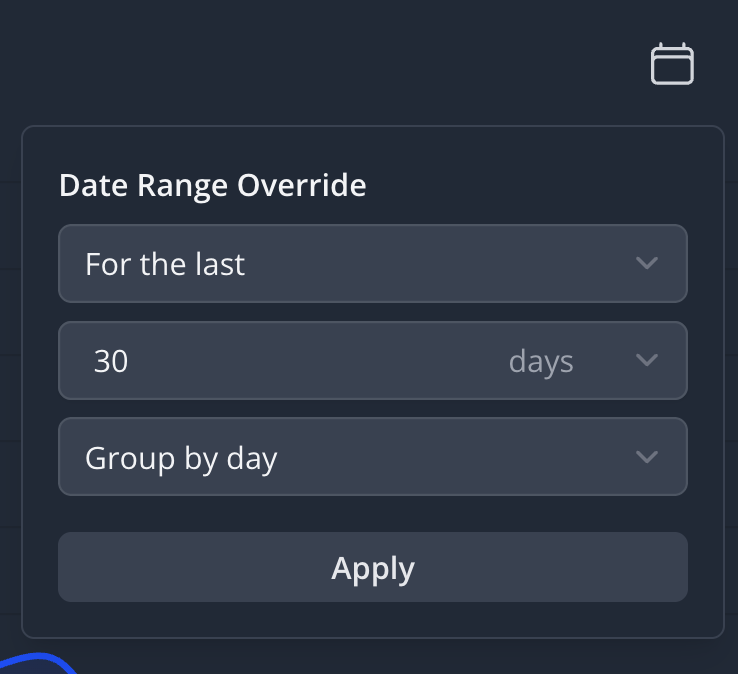
1. On the **Total Visitors** graph, locate and click the **Calendar icon** in the top-right corner to open the **Date Range Override** panel.
2. Select a date range option from the first dropdown menu.
* **For the last:** Displays data for a recent period (e.g., the last 30 days).
* **For a fixed range:** Displays data between two specific dates.
* **From a fixed date to now:** Displays data from a specific date up to the present moment.
* **All time:** Displays all historical data available.
3. If you selected "For the last", enter a number and choose a time unit from the dropdown menu (e.g., days, weeks, months).
4. Select a grouping option from the **Group by** dropdown menu to define the interval for the data points on the graph (e.g., Group by day, Group by week).
5. Click the **Apply** button to update the graph with your new settings. The graph will refresh to display the data according to your selected parameters.
### Navigating Your Workspace
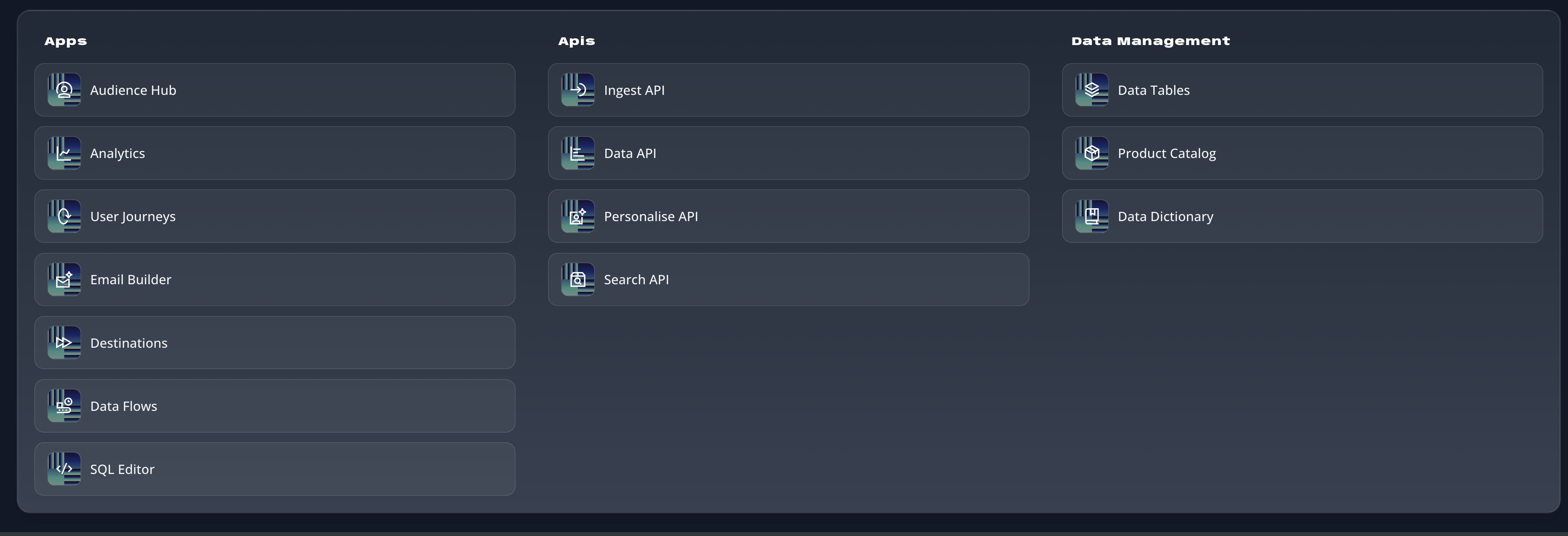
The bottom section of the dashboard is your main navigation hub, organised into three categories: **Apps**, **APIs**, and **Data Management**. This is your launchpad for accessing all the platform's features.
To access a specific module, simply click on its corresponding button. For example, to view detailed user profiles, click on **Audience Hub** under the **Apps** section.